> ## Documentation Index
> Fetch the complete documentation index at: https://docs.realtalkstudio.com/llms.txt
> Use this file to discover all available pages before exploring further.
# Scenario creation
> How to build AI roleplay and presentation scenarios with the Roleplay Builder and related tools
Scenario creation is for **L\&D teams, trainers, and org admins** who design simulations. Learners never see this flow — they pick a ready-made scenario from a studio catalog and start practising. See [Practice experience](/feature-overview/practice-experience).
Scenario creation requires a **trainer** account type. Other account types see an upgrade prompt at [Plan & billing](https://app.realtalkstudio.com/plan-billing). Creation flows are **desktop-only** (mobile is blocked).
## AI Roleplay Builder
Primary entry point: **[Create AI roleplay](https://app.realtalkstudio.com/create-ai)** (`/create-ai`).
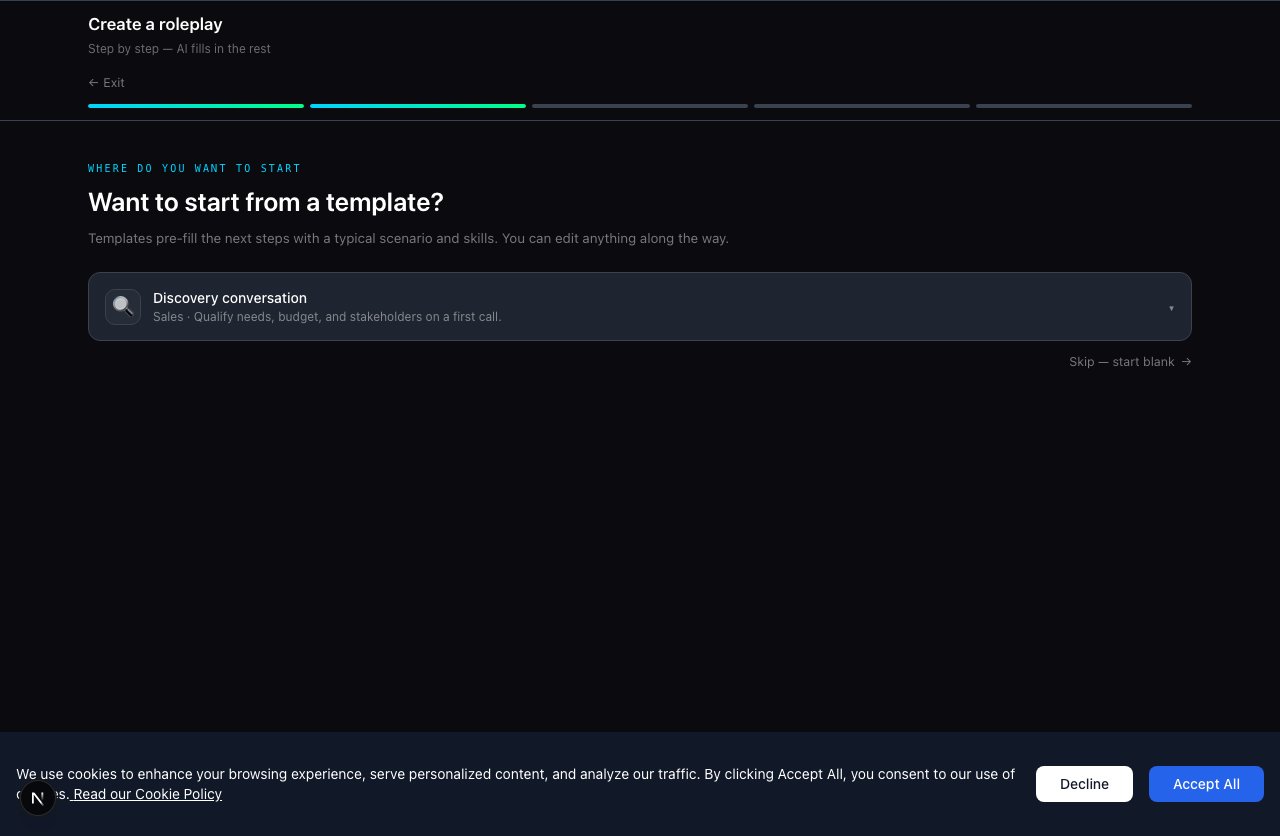
The builder is a guided **five-step wizard**:
| Step | Name | What you define |
| ---- | ------------- | ------------------------------------------------------ |
| 1 | **Type** | 1:1 roleplay, or links to team / presentation builders |
| 2 | **Template** | Curated template or build from scratch |
| 3 | **Roles** | Learner role (job title, company) + AI partner |
| 4 | **Situation** | Scenario context, stakes, and background narrative |
| 5 | **Skills** | Skills to score against + content language |
### Template library
Start from pre-built templates grouped by category:
* **Sales** — discovery, renewal, objection handling, and more
* **Compliance** — anti-bribery, harassment, policy conversations
* **Management** — coaching, performance, difficult conversations
* **Customer service** — complaints, vulnerable customers, escalations
 ### Personas at the Roles step
When defining the AI partner, you can:
* **Generate new** — set persona type, job title, company, and character description
* **Use org persona library** — pick a reusable persona from **Organization → Personas** (org admins)
* **LinkedIn enrich** *(optional)* — enrich character details from a LinkedIn profile URL
### After generation
AI produces the full roleplay: scenario brief, avatar, scoring criteria, and conversation structure. You then choose:
* **Start practising** — jump straight into a session
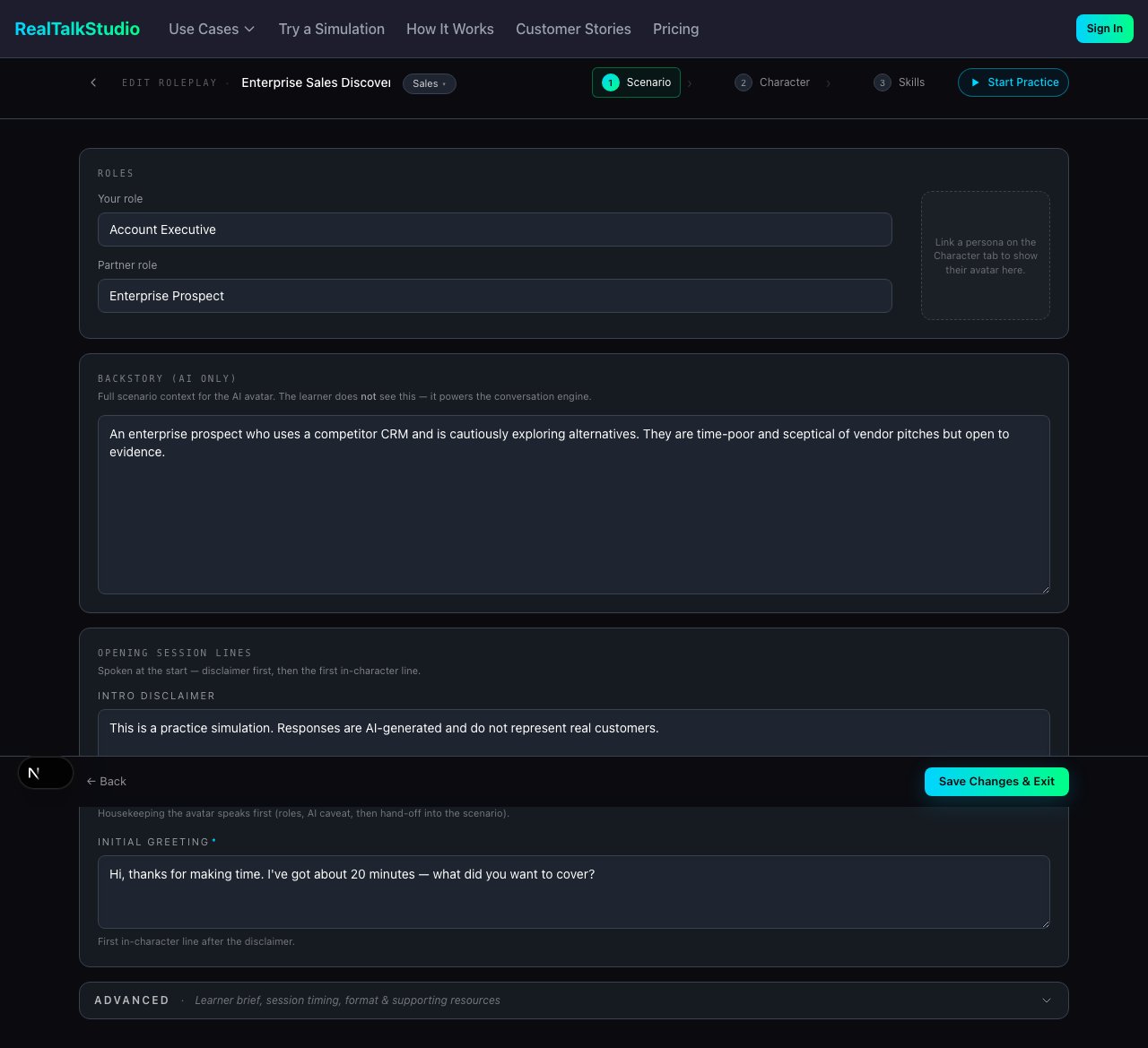
* **Edit & refine** — open the full authoring editor at `/edit-roleplay/[slug]`
The scenario appears in **My Roleplays** and can be added to a studio catalog. See [Admin & organizations — Catalog management](/feature-overview/admin-and-organizations#catalog-management).
### Personas at the Roles step
When defining the AI partner, you can:
* **Generate new** — set persona type, job title, company, and character description
* **Use org persona library** — pick a reusable persona from **Organization → Personas** (org admins)
* **LinkedIn enrich** *(optional)* — enrich character details from a LinkedIn profile URL
### After generation
AI produces the full roleplay: scenario brief, avatar, scoring criteria, and conversation structure. You then choose:
* **Start practising** — jump straight into a session
* **Edit & refine** — open the full authoring editor at `/edit-roleplay/[slug]`
The scenario appears in **My Roleplays** and can be added to a studio catalog. See [Admin & organizations — Catalog management](/feature-overview/admin-and-organizations#catalog-management).
 ## Other scenario builders
| Builder | Route | Creates |
| ------------------------- | ------------------------------- | ------------------------------------------------------- |
| **Team roleplay** | `/create-team` | Multi-AI-person meeting scenarios (video or team audio) |
| **Presentation practice** | `/create-presentation-practice` | Presentation delivery scenarios with an AI audience |
| **Persona library** | `/create-persona` | Reusable AI characters for use across roleplays |
Presentation practice is **desktop-only**.
## Editing and refinement
| Action | Where | Purpose |
| ----------------- | ----------------------- | --------------------------------------------------------------------------------- |
| **Edit roleplay** | `/edit-roleplay/[slug]` | Full authoring — objectives, skills, avatar, scoring, account panel, achievements |
| **Duplicate** | Organization → Catalog | Copy a roleplay within the org |
| **Enhance** | Organization → Catalog | AI enhancement pass on an existing scenario (org admin) |
| **Upgrade** | Organization → Catalog | Migrate avatar or structure to the current platform stack (org admin) |
## Alternative creation paths
Create roleplays from Microsoft Copilot Studio, Claude, or Slack via Model Context Protocol.
Curate org scenarios into a learner-facing studio catalog after creation.
## Next steps
* [Practice experience](/feature-overview/practice-experience) — what learners see when they run your scenario
* [LMS integration](/lms-integration) — embed scenarios in your courses
* [Admin & organizations](/feature-overview/admin-and-organizations) — distribute scenarios to learners
## Other scenario builders
| Builder | Route | Creates |
| ------------------------- | ------------------------------- | ------------------------------------------------------- |
| **Team roleplay** | `/create-team` | Multi-AI-person meeting scenarios (video or team audio) |
| **Presentation practice** | `/create-presentation-practice` | Presentation delivery scenarios with an AI audience |
| **Persona library** | `/create-persona` | Reusable AI characters for use across roleplays |
Presentation practice is **desktop-only**.
## Editing and refinement
| Action | Where | Purpose |
| ----------------- | ----------------------- | --------------------------------------------------------------------------------- |
| **Edit roleplay** | `/edit-roleplay/[slug]` | Full authoring — objectives, skills, avatar, scoring, account panel, achievements |
| **Duplicate** | Organization → Catalog | Copy a roleplay within the org |
| **Enhance** | Organization → Catalog | AI enhancement pass on an existing scenario (org admin) |
| **Upgrade** | Organization → Catalog | Migrate avatar or structure to the current platform stack (org admin) |
## Alternative creation paths
Create roleplays from Microsoft Copilot Studio, Claude, or Slack via Model Context Protocol.
Curate org scenarios into a learner-facing studio catalog after creation.
## Next steps
* [Practice experience](/feature-overview/practice-experience) — what learners see when they run your scenario
* [LMS integration](/lms-integration) — embed scenarios in your courses
* [Admin & organizations](/feature-overview/admin-and-organizations) — distribute scenarios to learners