
Hierarchy
Organization credit purchases are sales-led. Self-serve Stripe covers learner credits and admin credits (persona creation). See Plan & billing.
Organization admin
Entry point: Organizations (/organizations).
Studio admin
Entry point:/admin/studios/[slug] (also reachable from the org studio list).
Catalog management
Scenario creation is covered in Scenario creation. Admin catalog work is management after creation:- Add to studio — assign org scenarios to a learner-facing studio catalog
- Duplicate — copy a roleplay within the org
- Enhance / Upgrade — AI enhancement or avatar migration on existing scenarios
- Feature & reorder — highlight and order content in the studio catalog
How learners access a studio
Member management above covers the admin side. This section covers how learners get in.Studio access modes
Three configurations control who can practise. They combine studio privacy with optional SSO.Invite mode and SSO mode often apply together for enterprise: the studio stays private, but users join via SSO rather than manual invites. Public mode suits open programmes, demos, and trainer-led studios.
Entry paths
For embed sessions, completions are attributed using
ext_cust_id when your LMS passes extCustId on the embed URL. Without it, sessions count toward activity but appear as anonymous embeds in learner-level analytics — see Embed identification on Studio → Analytics and LMS integration — Studio analytics reporting.Example studio landing page
Learners typically land on/studio/{slug} — a branded home with learning path, progress, and Start Practice.
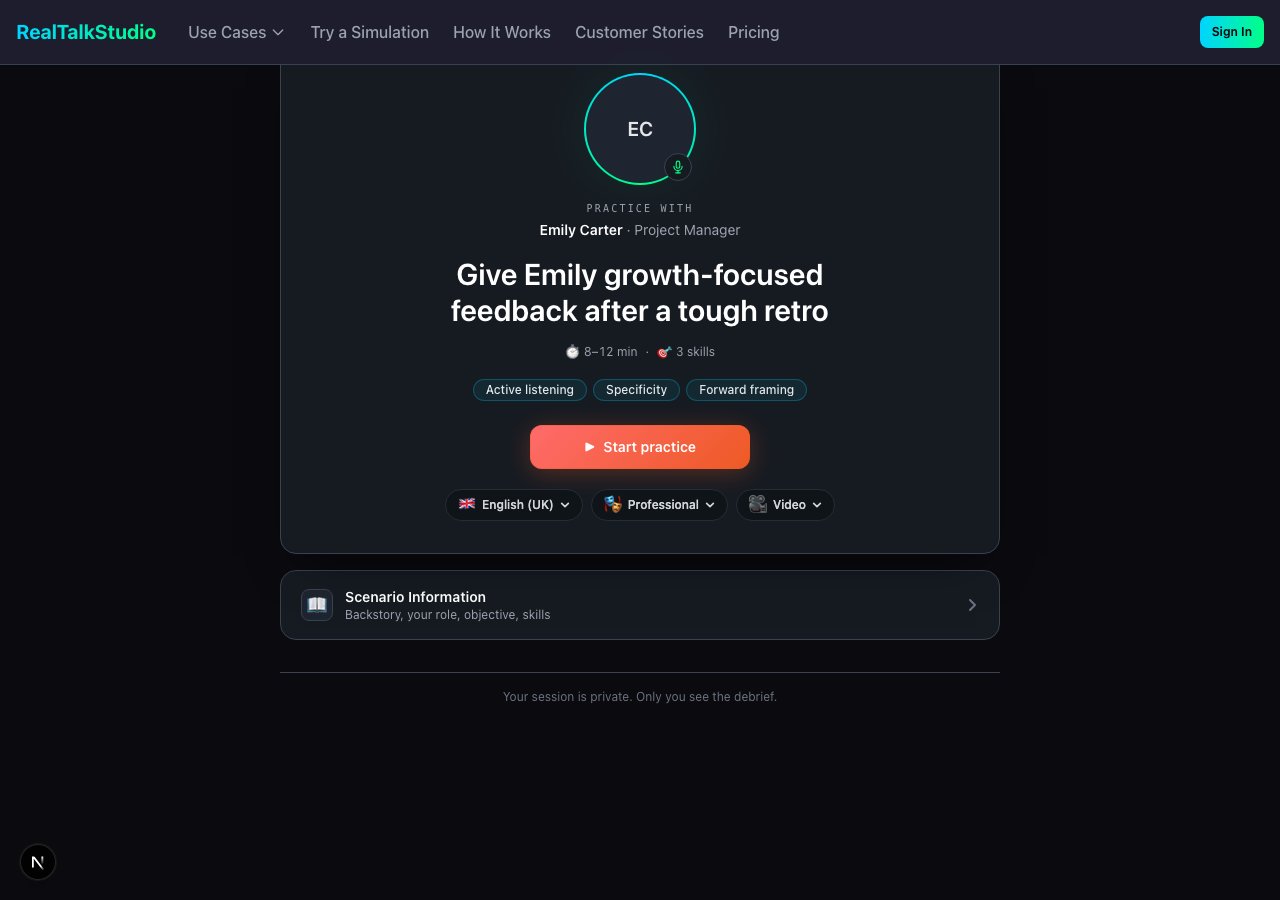
Practice start — scenario overview, learning outcomes, and Start Practice. Learners reach this after choosing a scenario from the studio catalog or a direct link.
Browse public example studios at app.realtalkstudio.com/studio.
Private vs public landing:
- Public — catalog and learning path visible; learner signs in when starting practice
- Private (non-member) — featured scenarios only; Join studio or login prompt; full path unlocks after membership
SSO access grants
When SSO is configured for an organization, admins create access grants from Organization → Team → SSO Access Grants:
Full permission tables: Organization & studio permissions — SSO access grants.
Optional / tier-gated features
Not every studio has all capabilities enabled:- Presence / non-verbal analysis (scenario + studio config)
- Take Action compliance gate (category-specific)
- Leaderboard and preparedness / confidence tracking (studio toggles)
- Policy adherence and product knowledge scoring (scenario-dependent)
- Whitelabel / Partner tier branding
Related
- Scenario creation — build scenarios before adding to catalog
- Practice experience — learner session flow
- How to set up a coach debrief — create a coach and attach post-session debrief
- Feedback & evidence — what admins export from session history
- LMS integration · Webhook config · Organization & studio permissions